
Add Notes
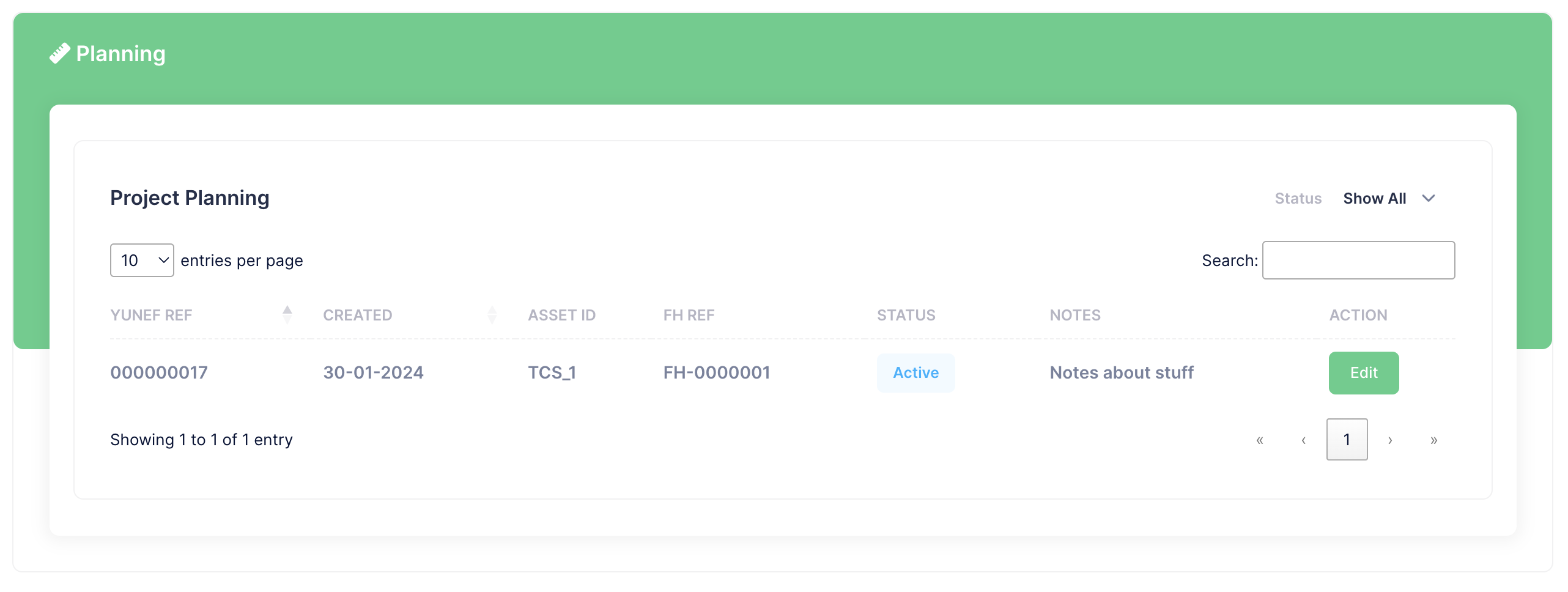
From the Planning table list
Click "Edit" next to the appropriate item to edit the details.
At the top of the form you will see any existing notes.
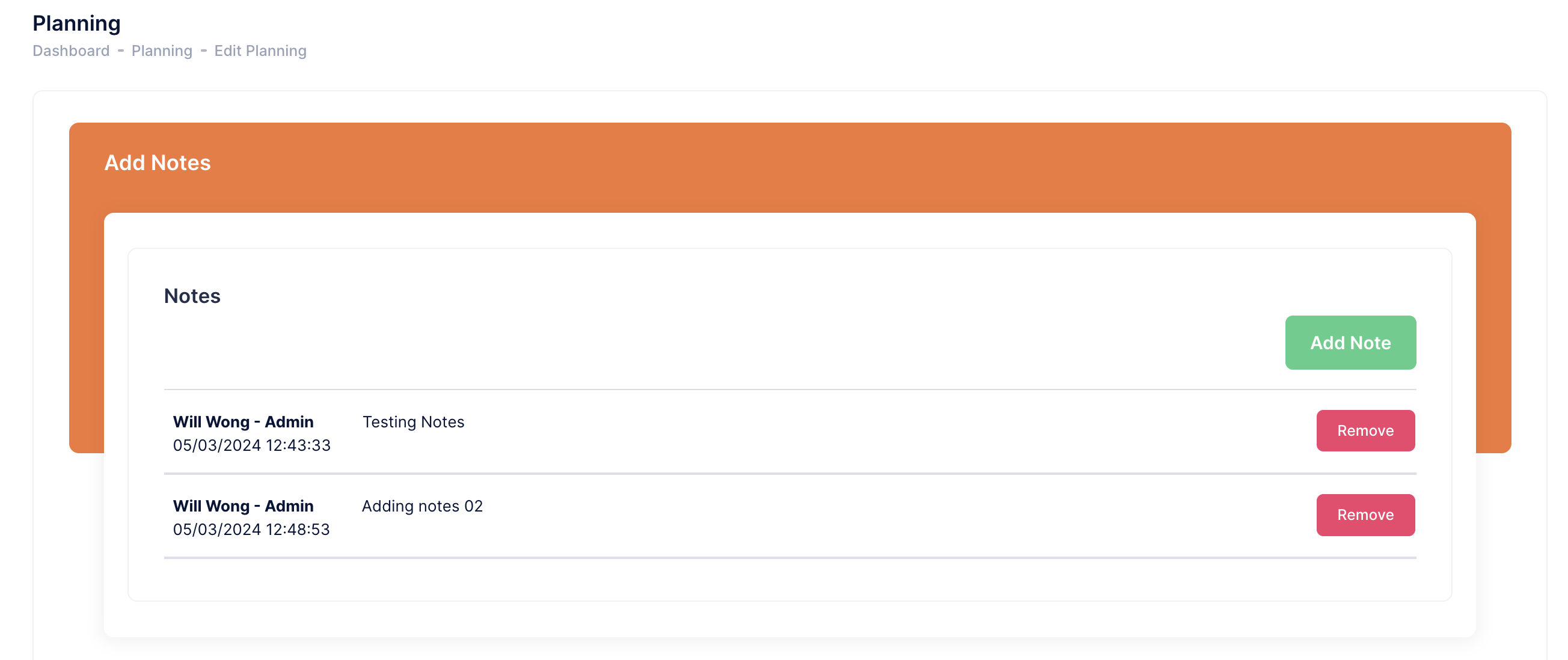
How to Add notes
Click the "Add Note" button.
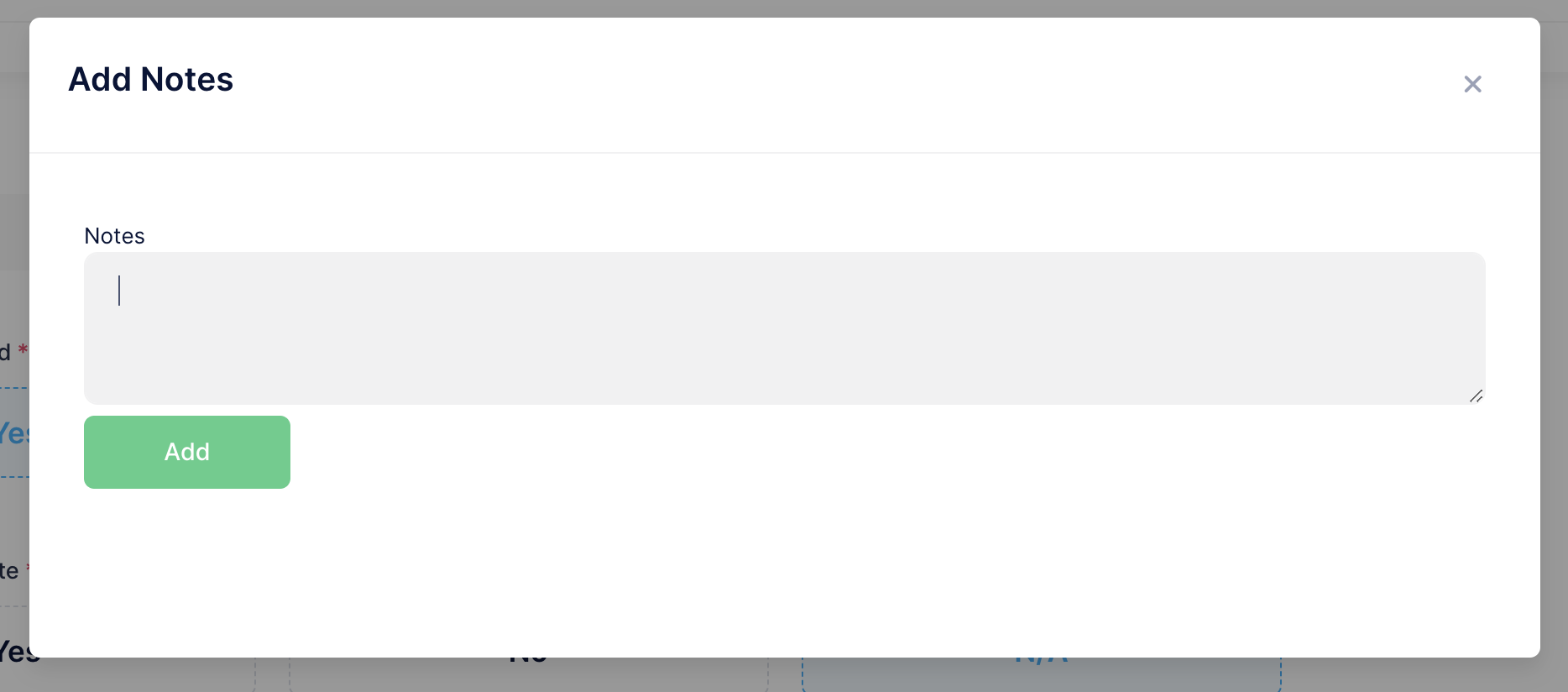
In the popup enter your notes and Click "Add" to submit.
How to Remove Notes
Click "Remove" next to the Note you wish to delete.